
What to compare
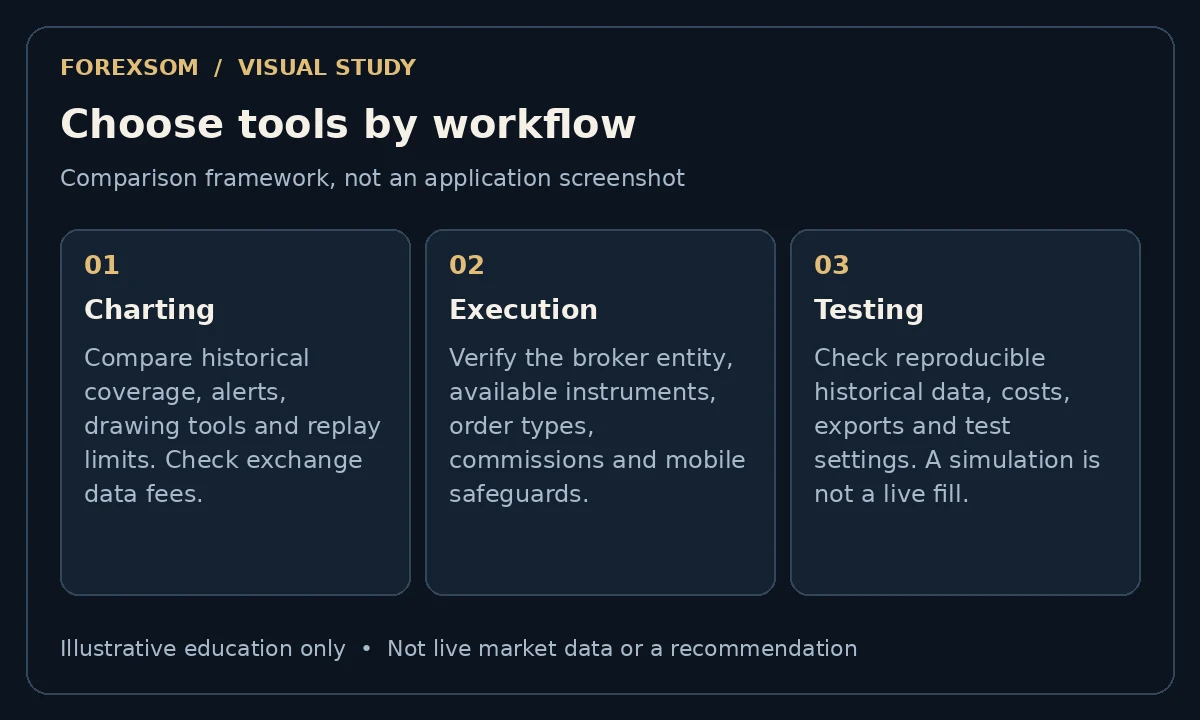
| Platform or category | Useful for | Check before relying on it |
|---|---|---|
| TradingView | Charting, alerts and paper-trading workflows | Data entitlement, connected broker, symbol and plan limits |
| MetaTrader 5 | Broker-dependent execution and strategy testing | Broker entity, contract specifications, data and account permissions |
| Forex Tester | Historical simulation and practice | Product edition, replay data, costs and export capability |
| Broker's native mobile app | Account access and permitted order execution | Regulation, spreads, order controls and withdrawal terms |
Verdict and who it suits
There is no universal winner. A chart-focused learner may value historical charts and annotations, while someone testing fixed algorithmic rules may need reproducible test settings. A trader using live orders needs reliable execution controls and a verified legal counterparty, not just attractive graphics. Avoid any app if its contracting entity or fee structure cannot be confirmed. Avoid paying for features that are not required by your defined workflow.
Features and evidence
TradingView describes demo functions and paper trading in its official support guide. MetaTrader's Strategy Tester documentation describes its testing capabilities. Forex Tester publishes its online feature list. These are vendor statements, not independent measurements of fill quality, reliability or profitability. Our TradingView vs MT5 comparison and Forex Tester review explain what to test.
A mobile-app acceptance test
In a demo environment, confirm the correct symbol and quote currency. Check whether a stop and target can be attached, whether the size increment is clearly displayed, and whether orders can be reviewed before submission. Observe how the interface handles loss of network connectivity. Export a statement, reconcile a simulated trade and confirm how to contact support. Never intentionally interrupt a live order to perform this test.
Prices and total cost
Compare monthly or annual subscription, exchange data fees, broker spreads, commission, overnight charges and cancellation terms. Some free charting features may be sufficient for study, but market data and execution can have separate costs. Check the official plan and broker schedule on the date you decide. No current price quote or claim of cheapest provider is made here. See software costs.
Methodology, pros and cons
This is a desk-research comparison of official documentation and a practical evaluation worksheet, not a hands-on test or scored ranking. Benefits of dedicated charting and replay tools include repeatable observation and saved layouts; drawbacks include fragmented data feeds and plan limits. Integrated broker apps reduce switching between tools but may make independent quote or fee comparisons harder. US readers should use the CFTC registration resource; other readers should verify the applicable local register. Continue with forex basics, position sizing and the FOREXSOM ebook.
Current published plan structures and cost comparison
Source review: November 26, 2026. TradingView's official plan table lists Basic, Essential, Plus, Premium and Ultimate, with one, two, four, eight and sixteen charts per tab respectively. Paid plans, market-data subscriptions and regional or promotional prices can change. The MT5 account documentation distinguishes practice accounts from real broker accounts. Trading costs are broker-dependent. Neither chart access nor a demo account implies that live trading is free.
The official TradingView pricing page displayed special monthly-equivalent rates of $12.95 for Essential, $29.95 for Plus, $59.95 for Premium and $199.95 for Ultimate on the annual-billing view when reviewed. For example, $12.95 × 12 = $155.40 before taxes or separate data charges. Confirm the actual checkout total, billing period, eligibility and renewal; these are promotional figures, not guaranteed prices.
| Cost category | TradingView | MT5 | Forex Tester |
|---|---|---|---|
| Base access | Basic tier plus paid plans | Demo and real broker accounts | Desktop trial and paid license; separate online plans |
| Possible extra cost | Market data and broker charges | Spread, commission, financing and broker terms | Data subscription or online renewal |
| Verify before paying | Region, billing interval, replay depth | Entity, contract, order features | Data coverage, export, renewal terms |
TradingView and MT5 do not serve identical roles. Test the specific broker integration and whether the market you want is actually supported. For an illustrative annual budget, a $20/month chart subscription plus $10/month data costs $360 before taxes; a separate $100 one-time license would cost $100 in the first year before any extras. These are example amounts, not published vendor prices. Compare the same time horizon. See Forex Tester research for a documented desktop price snapshot.
Related research and next steps
- TradingView review — Understand charting plan limits.
- trading strategy guide — Identify the workflow before buying tools.
Frequently asked questions
Is a forex trading app a broker?
Not always. Verify the legal counterparty and the role of the application.
Can I practice without a live account?
Some platforms provide demo or replay tools. Availability and terms depend on the product.
Which platform has the lowest fees?
It depends on data, subscription, broker and trade size. Compare the current full cost rather than the advertised subscription alone.
Continue your learning
All lessons · Free calculators · About FOREXSOM
For a practical sizing example, read the GBPUSD position sizing article.